

-
Build next-generation experiences with visionOS 27
Build next-generation apps, games, and spatial experiences using new capabilities in visionOS 27. Explore the different pathways you can use to build experiences on visionOS — from using native Apple tools and frameworks, to streaming immersive content from a Mac or PC, leveraging third-party engines, or porting existing iOS apps. Discover how to elevate your spatial computing projects with the latest advances in 3D content creation, immersive media, and object tracking.
Chapters
- 0:00 - Introduction
- 2:00 - visionOS overview
- 3:13 - Paths to build a visionOS experience
- 6:39 - RealityKit and Reality Composer Pro
- 13:42 - Third-party game engines
- 15:47 - Spatial Preview
- 17:28 - Foveated Streaming
- 20:36 - Object tracking and spatial accessories
- 25:32 - Immersive media
- 30:46 - Other visionOS 27 updates
- 32:05 - Next steps
Resources
Related Videos
WWDC26
- Build live production tools for Apple Immersive Video
- Design no-code games with Reality Composer Pro 3
- Discover the Spatial Preview framework
- Discover USDKit and what’s new in OpenUSD
- Explore advances in RealityKit
- Explore enhancements to visionOS object tracking
- Extend Reality Composer Pro 3 functionality with Xcode
- Iterate your spatial scenes faster with Reality Composer Pro 3
- Supercharge your spatial workflows with Reality Composer Pro 3
- Use foveated streaming to bring immersive content to visionOS
WWDC25
-
Search this video…
Hi, my name is Norman, and I'm a director in the Vision Products Group. In this session, I'll take you through powerful new ways to build next-generation experiences with visionOS 27. Looking back over this past year, we've been blown away by what you've built on the platform. We've seen apps like YouTube, introducing world-class content in your living room, Valve, bringing Steam Link to Apple Vision Pro to seamlessly stream your 2D Mac and PC games on the infinite canvas, and Resolution Games, reimagining new ways to relive classic experiences. We've also seen companies like Kia and Innoactive using Autodesk VRED, Nvidia's CloudXR SDK, and the new Foveated Streaming framework to design next generation vehicles, and Laminar Research, blending professionals' digital and physical worlds to deliver powerfully immersive training solutions with X-Plane. Bringing these experiences to life is just the beginning, and the insights you've shared along the way have been invaluable. Your feedback continues to shape the future of visionOS, guiding the features we release and accelerating the next era of computing. Today, people aren't just working faster, they're inventing entirely new experiences and workflows. To make these breakthroughs possible, the latest generation of Apple Vision Pro is powered by the M5 chip — delivering desktop-class compute for real-time rendering. Ultra high-resolution displays provide over 4K pixels per eye, enabling stunning visual fidelity. The system tracks your hand movements at 90Hz for highly responsive, low-latency control.
And with deep integration across the Apple ecosystem, your apps and games feel seamlessly connected across all your Apple devices. Along with powerful hardware and platform capabilities, visionOS provides multiple ways to render your app's content… In the Shared Space, you can choose to render your app in a window or a volume, where your experience can coexist simultaneously with other applications. This allows you to organize your workspace across the infinite canvas, taking productivity to the next level.
Or, you could launch an Immersive Space where your app runs exclusively, allowing you to render 2D and 3D content anywhere in your field of view.
In the Immersive Space, your content blends with the physical world, providing three immersion styles to choose from: The Mixed immersion style allows you to anchor 3D objects in real-world surroundings, like placing an object on a table.
The Progressive style lets your audience dial in the level of immersion that feels right for them. Or you can enable Full immersion, to transport them into a completely virtual world.
Together, these scene types offer a spectrum of immersion for your content.
When building experiences on visionOS, there are three main paths to choose from, depending on your workflow. The first path is for existing iOS or iPadOS apps. If you already have an app or a game running on iPad or iPhone, it can very likely run on Apple Vision Pro today, with minimal changes to your code.
Compatibility is the simplest way to get onto the platform quickly — you can just check a box in App Store Connect! Or, you can recompile your iOS or iPadOS app to visionOS by adding visionOS as a deployment target in your Xcode settings.
Both of these paths offer low-friction ways to bring your experiences to visionOS.
The second path is for apps designed from the ground up for spatial computing. This allows your experience to seamlessly blend with and react to people's environments.
In this vertical, you have 2 options: You can build for the platform using native frameworks like SwiftUI, RealityKit, and tools like Reality Composer Pro, or use your own custom rendering engine with CompositorServices. Or, if you prefer to use a third-party game engine like Unity, Unreal, or Godot, these all support visionOS as a platform.
In addition to these options, we are introducing a third path that offers a way for you to bring your existing experiences on macOS or PC, to visionOS.
If you have a Mac app that renders spatial content today, visionOS 27 adds a powerful new tool with the Spatial Preview framework , allowing you to extend images, documents, and 3D content directly from your Mac into Apple Vision Pro. Alternatively, if you are bringing a 3D experience from a PC, the Foveated Streaming framework lets you display native spatial content alongside streamed content. For example, a flight simulator crew rendered a highly detailed cockpit using our native rendering framework, RealityKit, while streaming a processor-intensive landscape from a remote computer. I'll dive deeper into both of these technologies later in this session. Together, these paths give you flexibility to build incredible experiences for visionOS, no matter where you are starting from. I'll share some of the latest updates to these pathways.
First, I'll cover new capabilities in RealityKit and Reality Composer Pro that help you bring rich 3D experiences to life, with accelerated workflows.
I'll share updates on third party game engines like Unity, Unreal, and Godot.
Then, I'll take you through Spatial Preview, a feature that extends 3D content from your Mac app, into the immersive world of visionOS.
I'll also introduce the new Foveated Streaming framework that enables you to stream immersive content from a PC or cloud instance.
I'll cover incredible new ways to interact with your content. And finally, I'll share updates to the immersive media pipeline to help you tell even more engaging stories on Apple Vision Pro.
Let's begin with updates to RealityKit and Reality Composer Pro.
RealityKit is the rendering engine behind some of the best native experiences on visionOS. Reality Composer Pro is where you author content visually, letting you design, iterate, and preview without ever leaving the editor.
With visionOS 27 we're bringing the two even closer together.
With RealityKit you can build interactive, high-fidelity spatial experiences that seamlessly blend with your real world and visionOS 27 adds powerful new features in RealityKit to make your experiences more immersive than ever.
Let's take a look at a few of them: RealityKit's new physical space lighting deepens immersion by blending your virtual lighting with the real world. Here's a virtual planetarium projector, built in RealityKit. The stars and nebulae shine across the space, and as the projector spins, its light seamlessly conforms to every surface. The stars and nebulae are powered by the new Projective Textures API, enabling you to add textures to your spotlights. With this feature, you can simulate stunning effects like stained glass projections or underwater caustics.
Next, let's look at RealityKit's powerful new Cloth Simulation. Here, a virtual mannequin wears a flowing dress made of highly realistic, simulated clothing. As the mannequin walks, the fabric moves and folds naturally, all rendered in real time. That same simulation also brings the virtual bed cover to life. As it's pulled back, the fabric responds with realistic weight and drape. RealityKit doesn't stop at visual realism. With the new Custom Reverb Mesh, it brings that same authenticity to spatial audio. Take this virtual band playing in a museum. With RealityKit, the sound doesn't just originate in front of me, it fills the space from every direction. The reverb system accurately simulates how sound is absorbed and scattered by the wood, metal, and stone in the hall, giving your virtual world an even richer, more believable sense of presence. Another powerful new feature in RealityKit is Gaussian Splatting. Here's a small potted plant, scanned and rendered as a 3D Gaussian splat. Every detail comes through, down to the texture of the soil. With RealityKit, you can now scan real-world objects and bring them straight into your virtual experiences. It's a great way to capture objects that are hard to model by hand and use them to build incredibly realistic worlds.
To learn about even more features coming to RealityKit, check out the "Explore advances in RealityKit" session. While RealityKit APIs enable you to create stunning, interactive 3D content, the process of putting that content together is greatly enhanced by Reality Composer Pro. We're adding brand new tools and features in a major refresh, enabling fast, AI-powered, and collaborative workflows to the new Reality Composer Pro 3, so you can move faster and go further, without always needing to touch Xcode.
The new Reality Composer Pro brings a huge selection of new features to transform your workflows.
I'll take you through some of these brand-new capabilities, like Reality Composer Pro Assistant, Animation Graph, Script Graph, and Navigation Meshes. Let's start with Reality Composer Pro Assistant, which integrates AI-capabilities into your creative workflow, right inside the editor. Here's an example that shows how the AI assistant can be used to generate a dried fruit assortment, and then place them in a pre-existing empty bowl in the scene.
It even generated 3D candles and placed them on the table. With Reality Composer Pro Assistant, you describe what you want, and it generates 3D models with detailed textures and materials, ready to place in your scene. It's a great way to start telling your story, long before your final game assets are ready to ship.
Once your final assets and animations are ready, Animation Graph in Reality Composer Pro lets you control how they transition between states.
With a state machine, you can easily transition between idle and walking states at runtime, and visualize that transition live in the editor. And — to help your character navigate around an environment while avoiding obstacles — you can generate and tweak a navigation mesh, right inside Reality Composer Pro! Simply start with an auto-generated mesh, as shown in blue, then add additional features such as jumps, ladders, and obstacles to complete the course.
To connect these pieces and make your scene interactive, Reality Composer Pro also brings Script Graph. With Script Graph, you can add nodes that catch events like taps, driving where your character should move. You can make real-time edits with live preview on Apple Vision Pro, all without opening Xcode.
Now, with everything in place, your character can find its way to its destination, avoiding obstacles and using its full animation set to walk, run, or climb.
Reality Composer Pro's node-based editor called Script Graph lets you build logic without ever leaving your visual workflow. Here, Devs United Games uses a handful of nodes to animate their Aquascape character as it enters the scene. As the fish swims through the environment, its animation playback even adjusts to match its exact speed. Shader graph materials in Reality Composer Pro are also getting a major upgrade.
Last year we introduced a system environment featuring Jupiter's moon Amalthea, showcasing a subsurface scattering effect that makes the ice on the moon's surface look strikingly real. Reality Composer Pro 3 now exposes subsurface scattering through Shader Graph, so you can bring a similar effect to your own scenes.
And with additional shader graph capabilities, you can now create lifelike skin, eyes, and hair for your characters, or even craft the otherworldly look of a portal. Reality Composer Pro 3 brings so much more to explore, including Prototypes, Behavior Trees, Compute Graphs, and custom script graph nodes. Check out these sessions to learn more. Native frameworks like RealityKit and SwiftUI give you the deepest integration with visionOS. But if you've already built your game in another engine, like Unity, Unreal, or Godot, it's easier than ever to bring it to Apple Vision Pro.
Unity has been compatible with visionOS since we first launched.
Here's LEGO Builder's Journey that was made with Unity and runs in a volume.
If you have a Unity Pro license, you can bring your Unity game to visionOS. Windowed games made with Unity use RealityKit for native rendering; while immersive games on visionOS can be rendered either with RealityKit or CompositorServices framework, depending on your rendering needs. We've released plugins to support spatial accessories such as the PSVR 2 Sense controller so that you can design tactile interactions for your Unity apps and games.
Unreal Engine is also available in immersive mode. And Polyarc, the developer of Glassbreakers, brought their Unreal engine game to Apple Vision Pro with static foveation, for noticeably sharper visuals.
Games built with Godot, like DogWalk from Blender Studios, also run on Apple Vision Pro. We've also added support for Godot rendering through CompositorServices, along with a plugin for rendering with RealityKit. And we've published a PHASE audio plugin, so your Godot games can take full advantage of Apple's spatial audio. You can download these game engine plugins from our GitHub page.
visionOS also supports experiences built on custom rendering engines.
With the CompositorServices framework, you can connect your proprietary engine to the system and render your content directly in an immersive space.
That was a sneak peek at supported games engines. Next, let's talk about extending content from your Mac to the infinite canvas of Apple Vision Pro, using the Spatial Preview framework.
Mac Virtual Display transforms your workspace offering you the ability to stay in headset while you work on your Mac with complete privacy, wherever you are.
With visionOS 27, we're taking this capability even further with Spatial Preview. This is a new macOS framework that lets you preview spatial content from your Mac directly on your Apple Vision Pro, and collaborate with others through SharePlay, — all without ever building a visionOS app! Leveraging Quick Look on visionOS, you can immediately preview and update content like spatial photos and Apple immersive video as well as edit 3D content live using USD.
You can move freely around 3D scenes, refine your content's placement, adjust material overrides, and share feedback with annotations, all within a spatial environment. With real-time asset editing, apps like Cinema4D and SketchUp transform the creative process — unlocking real-time, collaborative 3D workflows whether you're working side by side, or across the globe.
This capability is built directly into Preview on macOS 27, so customers can experience these powerful features out of the box. We're also giving Preview new 3D editing tools making 3D content as easy to work with as images and PDFs.
For a deeper dive, check out the "Discover the Spatial Preview framework" session.
The Spatial Preview framework is a great way to stream immersive Mac content to visionOS. Next, I'll introduce a new way to bring immersive PC content to our platforms with Foveated Streaming.
Foveated Streaming enables Apple Vision Pro to connect to external devices — like a PC — to stream OpenXR content.
visionOS automatically sends input data, like hands, controller positions, and microphone.
And the device streams your OpenXR content, like video and audio with full-scale immersion, just like a native app.
Foveated Streaming launched in visionOS 26.4, and it's already unlocking incredible experiences. X-Plane 12 from Laminar Research delivered a best-in-class flight simulation experience. The X-Plane app on visionOS uses ARKit to understand your space and equipment, and streams the simulation from a PC. This means you can fly using a physical flight simulator while being fully immersed in a virtual world. It's an integrated experience only Apple Vision Pro can deliver.
iRacing, a motorsport racing game for PC, also streams to Apple Vision Pro using Foveated Streaming. The iRacing Connect app matches the position of your physical racing wheel with the virtual cockpit. Precise ARKit tracking makes this possible, delivering an experience that is immersive and exhilarating.
Innoactive also brings Autodesk VRED to Apple Vision Pro, letting designers visualize massive, high-fidelity models with ray tracing, at a 1:1 scale. PC-based rendering pairs seamlessly with SwiftUI, so you can build advanced streaming applications quickly and intuitively.
And the quality is exceptional, because it uses advanced technology to optimize the video stream. Foveated streaming intelligently compresses video based on where a person is looking.
Areas in focus are streamed at higher quality, while areas in your visual periphery use less bandwidth. It happens so quickly and seamlessly, that you don't even notice.
The streaming protocol is powered by NVIDIA CloudXR. This is a top-ranked streaming technology, offering high quality and low latency. CloudXR is performant enough to stream over Wi-Fi, with no dongles or cables needed, whether from a local PC or a cloud instance.
And it is incredibly easy to use. We've found that just in one day you can start streaming your OpenXR applications to Apple Vision Pro, and in a week you can enhance your application with features you can find only on visionOS.
To learn more, see our dedicated session on Foveated Streaming.
Those are the many ways you can bring your content to Apple Vision Pro. Next, let's look at some exciting new ways in which people can interact with your content in visionOS.
Let's start with enhancements to object tracking.
We introduced object tracking in visionOS 2.0, which lets you turn physical objects into virtual anchors. To track an object, you can start with its USDZ model and train a reference object in Create ML on your Mac.
You pass that reference object to the object tracking API, and your app receives updates about the position and orientation of the physical object, enabling immersive spatial experiences.
Object tracking now supports high-frame-rate tracking, giving your app more frequent pose updates as objects move through space.
We've added an extended training option in Create ML that improves accuracy and robustness, particularly for objects held in hand.
There's a new API for obtaining the object pose in metric space, without display corrections. This unlocks spatial measurement use cases that require high-precision poses.
And these features are now available on both visionOS and iOS. These enhancements to object tracking let you create dynamic experiences that instantly react as people pick up and interact with objects in the physical world.
For example, you can now accurately track and measure physical spaces using handheld items such as this medical probe. This opens up use cases like surgical navigation training.
To bring object tracking to iOS, we're releasing an ARKit API that supports the same functionality as visionOS. We designed the ML model training in Create ML to be platform agnostic. This means once you create a reference object, you can use it in both your iOS and visionOS app and get the same level of tracking quality.
To learn more about developing with the object tracking API, you can watch the WWDC24 session or explore our documentation.
While object tracking is great for tracking regular objects, visionOS also supports spatial accessories.
In visionOS 26, we introduced our first set of spatial accessories: the Logitech Muse and the PSVR2 Sense controller.
These devices bring a new level of interactivity and immersion to your apps through spatial tracking, button input, and haptic feedback. You can connect to them using the Game Controller framework, and use RealityKit or ARKit to track each accessory's movement and orientation in space. Now in visionOS 27, we are expanding support to enable you to build your own accessory. A spatial accessory is an electronic device, containing a board with the following components: A constellation of LEDs visible to Apple Vision Pro for tracking. An IMU to capture the orientation and acceleration of the accessory.
And a Bluetooth chip to send the signals to Apple Vision Pro.
Spatial accessories can also host any variety of inputs like buttons, touchpads, along with haptic feedback.
You can turn any object into a compatible spatial accessory by just installing these components in it.
To help you get started, manufacturers like DFRobot and MikroE will release off-the-shelf reference hardware and development kits, later this year. These can be a great starting point to include custom spatial accessory input in your visionOS apps. For example, this is a 3D printed flashlight, mounted with a DFRobot seeMote Cap. Thanks to low-latency tracking, the virtual light it casts looks completely natural on the physical walls around it. As the physical flashlight moves, the virtual beam follows smoothly and accurately. Here's another example: a MikroE Spatial Anchor R1 is mounted inside a physical steering wheel, seamlessly anchoring a digital vehicle to it. When you grab the wheel, you feel like you're inside the car. This unlocks use cases like immersive racing simulations and vehicle interior design. Apple Vision Pro tracks these devices at the highest possible frequency with extremely low latency — matching the display's native refresh rate for a seamless experience. They support use cases that demand fast motion. Spatial accessories will continue to track robustly, even when temporarily occluded.
And they are also trackable under low-light conditions.
Lastly, the physical buttons and haptics allow you to make your experiences even more interactive and immersive.
To learn more about integrating custom spatial accessories into your spatial experiences, check out the session "Explore enhancements to visionOS object tracking".
Next, let's talk about the workflow to bring immersive media experiences to visionOS.
visionOS supports many forms of spatial and immersive video types, but Apple Immersive Video, or AIV, is the highest fidelity immersive video experience, available on visionOS. It has an extremely large field-of-view and fully immersive audio that places you in the experience, as if you were there. It represents a fundamental advancement in video media engineering, built on high-resolution, high-frame-rate, stereoscopic 180 degree capture that delivers unprecedented fidelity and dimensional accuracy.
Apple Immersive Video supports both video-on-demand and live broadcast streaming in visionOS. Achieving such a high quality experience requires video that meets demanding specifications. Real-world stereoscopic scale is maintained through metadata-driven lens calibration, which provides accurate projection during playback. Video is captured and streamed at 90 frames per second with a near-human visual acuity greater than 100 megapixels per frame.
That's over ten billion pixels per second. To handle all that video, AIV already has a growing ecosystem of production and post-production tools that are now available with industry-leading broadcast hardware and software developed for iOS, macOS, and visionOS.
Many of those tools were built by developers like you with the Immersive Media Support framework, or IMS.
IMS enables reading and writing of rich metadata for Apple Immersive Video, and provides support for authoring and modifying immersive content.
You can get started with integrating IMS in your apps by watching these sessions: "Learn about Apple Immersive Video technologies" and "Support immersive video playback in visionOS apps" from last year.
In addition to recently introduced iOS support, important new features have been added to IMS in visionOS 27, including camera presentation override commands, an ImmersivePreviewRenderer API, and wide-aspect-ratio portals. We have also published some new sample code that implements static foveation in dual track QuickTime, and updates to the Apple Spatial Audio Format production suite. Let's first look at the impact of new camera presentation override commands. In live and complex production scenarios, you may need to introduce new camera parameters to override default camera configurations, and in real time. That's where the new Set Camera Command Overrides come into play.
If you would like to learn more about the practical application of IMS in the AIV live production workflow with SMTPE 2110, check out the WWDC 26 session, "Build live production tools for Apple Immersive Video". The new ImmersivePreviewRenderer enables real-time previewing of Apple Immersive Video on Apple Vision Pro directly from a Mac during editorial or live production workflows.
This gives editors, colorists, and directors a more accurate representation of how immersive content will look, and be experienced, at final delivery.
We're also adding wide-aspect-ratio portal support for Apple Immersive Video. This lets you keep a very wide portal of the immersive video experience in viewing when switching from full immersive mode to portal mode.
The implementation for your apps is straightforward. Custom aspect ratios can be set when using AVPlayerViewController in AVKit-based apps, or VideoPlayerComponent in RealityKit-based apps.
Next, I want to introduce you to a new sample that uses static foveation to deliver a high-quality immersive video while keeping it streamable. It would be impractical, even for a high-speed home internet connection, to stream full resolution AIV, in stereo, at 90 frames-per-second. But simply scaling the image down to 4K would sacrifice too much pixel density.
Instead, a smooth static foveation function can be applied to the image before it is encoded for streaming. The new sample project demonstrates one way this technique can be used to achieve high-acuity immersive video in a streamable frame size. And we can't forget that any good immersive video experience, must also have an immersive spatial audio soundtrack. So we have released important new updates to the ASAF Production Suite. The suite of AAX plugins now has the ability to position objects relative to a reference video, with improvements to the ambisonics workflow that include a new Scene Compressor plugin, and enhancements to the heat map drawing and the spatial filtering algorithm.
The new sample project and the ASAF Production Suite are both available for download on developer.apple.com.
From deeper immersion, to richer media, and powerful new ways to add interactivity, visionOS 27 gives you so much to build with.
To round things out, let's spotlight a few final additions, starting with the Spatial Web. In Safari on visionOS 27, windows can now be adjusted to a wider aspect ratio, letting you take full advantage of the space around you. Larger windows will naturally curve, bringing more of your content into comfortable view. And, Web Environments are now enabled by default allowing websites to have backgrounds, just like apps. Here's an example showing a virtual environment from the Apple TV show, Severance.
We've streamlined notifications, system status, controls, and environments all in one place via a newly improved Control Center, along with High Quality Capture enabling you to capture your apps, in stunning 4K video from right inside Apple Vision Pro, no Mac required.
And with accessory widget support on visionOS, you can extend your app to Apple Vision Pro with smaller, glanceable widgets that surface your most relevant information, right where you need it.
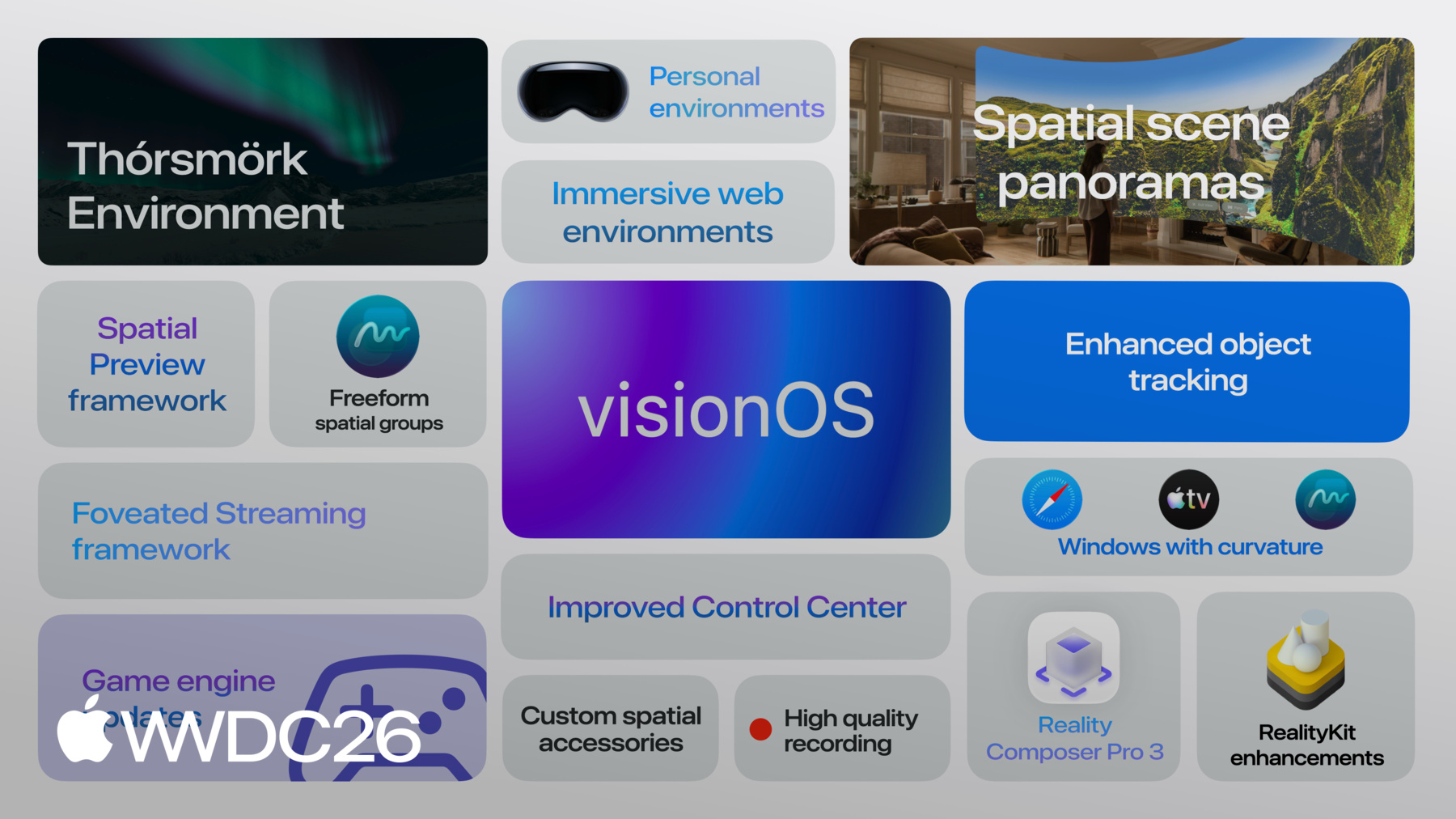
visionOS 27 brings so much more to explore, including Siri enhancements, an all-new Iceland environment, Spatial Panoramas, Personal Environments, and Freeform updates, to name a few. Together, they give you even more powerful tools to bring your ideas to life. We cannot wait to see what you'll build next.
-
-
- 0:00 - Introduction
Overview of what's new in visionOS 27, including platform momentum across consumer, enterprise, and creative use cases, and a tour of what the session covers.
- 2:00 - visionOS overview
A recap of the visionOS scene model — Shared Space, Volumes, Windows, and Immersive Spaces — and the three paths to build a visionOS experience: existing iOS/iPadOS apps, apps designed for spatial computing, and existing macOS/PC experiences via Spatial Preview and Foveated Streaming.
- 3:13 - Paths to build a visionOS experience
An overview of the three paths to building a visionOS experience: bringing existing iOS or iPadOS apps via compatibility or recompilation; building apps designed from the ground up for spatial computing using native frameworks, third-party game engines, or custom renderers; and a new third path for bringing existing macOS or PC experiences to visionOS using Spatial Preview or Foveated Streaming.
- 6:39 - RealityKit and Reality Composer Pro
Highlights of new RealityKit capabilities in visionOS 27, including physical space lighting, cloth simulation, acoustic ray tracing, and Gaussian Splatting, followed by an overview of Reality Composer Pro 3's new AI-assisted, collaborative tools — Animation Graph, Script Graph, and enhanced shader materials.
- 13:42 - Third-party game engines
Updates to Unity PolySpatial, Unreal Engine, and Godot on visionOS 27, including new spatial controller, ARKit, and PHASE audio plug-ins available on GitHub, plus support for custom rendering engines via CompositorServices.
- 15:47 - Spatial Preview
Introduction to the new Spatial Preview framework on macOS, which lets developers preview spatial content — including 3D assets, spatial photos, and Apple Immersive Video — directly on Apple Vision Pro from a Mac, with SharePlay support.
- 17:28 - Foveated Streaming
How the Foveated Streaming framework enables existing macOS and PC experiences to stream to Apple Vision Pro with native spatial rendering, using eye-tracked, foveated video compression to deliver high-quality visuals at practical bandwidths.
- 20:36 - Object tracking and spatial accessories
Enhancements to visionOS object tracking including high-frame-rate support and a new ARKit API that brings object tracking to iOS. Also covers spatial accessories — custom tracked hardware that extends the Apple Vision Pro input model with plug-and-play physical controllers.
- 25:32 - Immersive media
An overview of the visionOS immersive media pipeline: Apple Immersive Video formats, the Immersive Media Support framework for reading and writing rich AIV metadata, live production tools via SMTPE 2110, wide-aspect-ratio portal support, and static foveation for streamable AIV delivery.
- 30:46 - Other visionOS 27 updates
A look at additional visionOS 27 platform updates, including wider Safari windows and Web Environments enabled by default, a redesigned Control Center with streamlined notifications and high-quality capture, accessory widget support for glanceable information on Apple Vision Pro, and a preview of further enhancements including Siri improvements, the Iceland environment, Spatial Panoramas, and Personal Environments.
- 32:05 - Next steps
Closing highlights across the visionOS 27 platform — Spatial Web enhancements, wider windows, accessory widget support, and pointers to related sessions for deeper dives into each featured technology.